# Sample Sheet Import Errors on the NextSeq 1000/2000

**Background**

The NextSeq 1000/2000 Control Software will validate the Sample Sheet used to setup a sequencing run or DRAGEN analysis. This ensures that the Sample Sheet is configured correctly to prevent errors with run setup or Analysis.

If the Control Software identifies issues with the Sample Sheet, the Control Software will alert the user with the following Warnings or Errors:

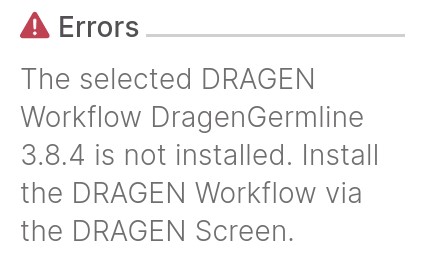
<table data-header-hidden><thead><tr><th valign="top"></th><th valign="top"></th></tr></thead><tbody><tr><td valign="top">Error Observed at Sample sheet Import</td><td valign="top">Sample sheet issue</td></tr><tr><td valign="top"><img src="/files/I3tv1cEBOQG2Rp35oHDN" alt="Dragenworkflowisnotinstalled.jpeg"><br>The selected DRAGEN Workflow #.#.# is not installed.</td><td valign="top">Incorrect DRAGEN version listed on the sample sheet. Update sample sheet to correct version</td></tr><tr><td valign="top">DRAGEN Workflow #.#.# is specified in the SampleSheet but is not compatible with this version of the Control Software</td><td valign="top">BCLConvert version and DRAGEN version mismatch. Update BCL convert version to match DRAGEN workflow specified.</td></tr><tr><td valign="top">The sample sheet could not be parsed. Ensure the sample sheet is valid and retry.</td><td valign="top">Incorrect formatting or missing information. For further information, see Knowledge Article <a href="https://github.com/illumina-swi/illumina-knowledge/blob/master/articles/Knowledge/Additional-Sample-Sheet-Errors-on-the-NextSeq-1000-2000/README.md">Additional Sample Sheet Errors on the NextSeq 1000/2000</a>.</td></tr></tbody></table>

If the issue with the Sample Sheet cannot be identified, create a new Sample Sheet using the free **Run Planning** tool on BaseSpace and use the new Sample Sheet for run setup. See Knowledge Article [How to setup a sequencing run for the NextSeq 1000/2000](https://github.com/illumina-swi/illumina-knowledge/blob/master/articles/Knowledge/How-to-setup-a-sequencing-run-on-the-NextSeq-1000-2000/README.md) for additional details.

If additional assistance is required, contact [Illumina Tech Support](https://www.illumina.com/company/contact-us.html).


---

# Agent Instructions: Querying This Documentation

If you need additional information that is not directly available in this page, you can query the documentation dynamically by asking a question.

Perform an HTTP GET request on the current page URL with the `ask` query parameter:

```
GET https://knowledge.illumina.com/instrumentation/nextseq-1000-2000/instrumentation-nextseq-1000-2000-troubleshooting-list/000003521.md?ask=<question>
```

The question should be specific, self-contained, and written in natural language.
The response will contain a direct answer to the question and relevant excerpts and sources from the documentation.

Use this mechanism when the answer is not explicitly present in the current page, you need clarification or additional context, or you want to retrieve related documentation sections.
